

Modeling a Panton Chair in Blender 3D
One of the new features that are currently in development for Blender 3D and will be a great help for anyone working with architectural visualization, is the rewrite of the NURBS system. If you ever tried to work with the actual NURBS system in Blender you will notice that it really needs some improvement. It would be much easier to work with a NURBS system to model objects like a Panton chair, with is a great piece of furniture, but have a very curved and complex topology to model.
All tutorials and guides, that I know, are related to the steps required to create a chair like this are related either to Rhino or other NURBS based software. A few weeks ago a company that develops a plugin for SketchUp has made up a modeling contest. The winner created a Panton chair in SketchUp, using only poly modeling techniques. To show of how it was created, a video of the technique was created and posted in Youtube.
The technique is quite easy to follow, and if we try it out in Blender 3D, we won't need any extra plugins like in SketchUp. So, I face up the challenge and tried to model a Panton chair following the same workflow as the video. This is the final result:
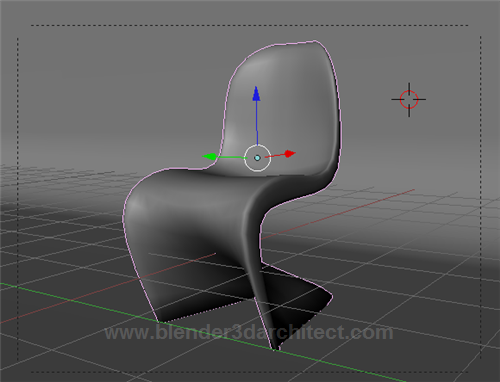
A quick search in Google will list a few great reference images for a Panton Chair, even with dimensions.
If you are looking for a modeling exercise with a bit of a challenge, I strongly recommend you to try out. The type of topology of this chair is quite difficult to control, and will require all your skills related to poly modeling. A great starting point is to avoid a high number of edge loops at the beginning, because make the curves harder to control.
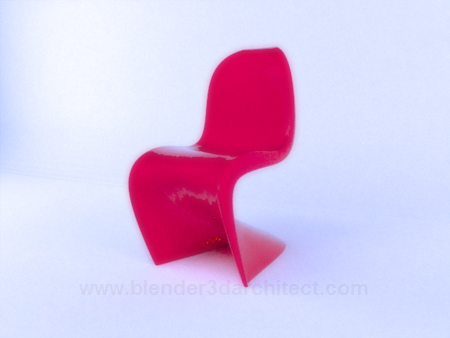
To finish the tutorial, I create a studio setup to render the Panton chair using LuxRender. The material applied to the chair is a Glossy material with the exponent set to 100000, to make it looks like plastic. Here is the final render after a few minutes of interactions.

Comments
stan
hi,
thank you for showing this, i really like to use blender in everything, but sketchup is hard to let go. this helps a lot.